Install VoipSys Phone App

The VoipSys SoftPhone is a free soft phone app for Android.

The app is available in Google Play for Android phones for internal testing.

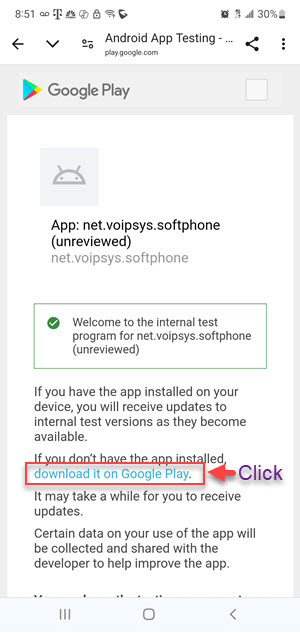
If you have been invited for internal testing, then from your mobile phone, click here to install the app.

Alternatively, copy and paste this link into the web browser in your mobile phone: https://play.google.com/apps/internaltest/4701737848448304565

The steps to install the app are shown below.

1. After clicking the link above

Image: Go to Play Store, Search, Install App

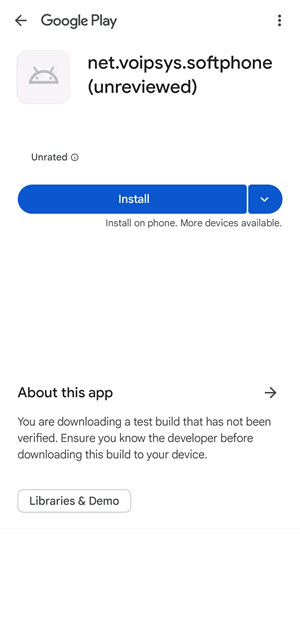
2. Click "Install" to continue

Image: App Installed, Open It

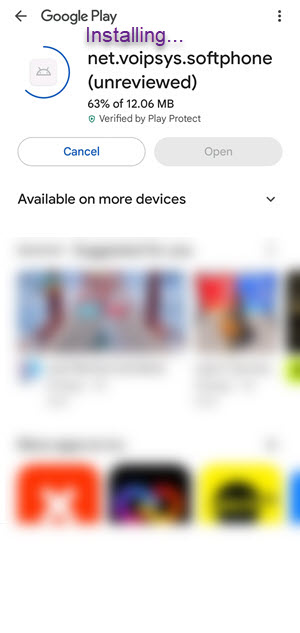
3. Installation in progress

Image: Installation in Progress

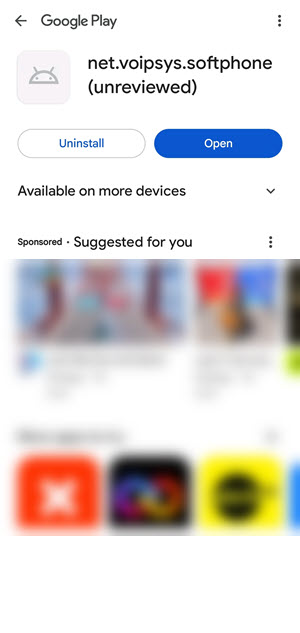
4. App installed. Open it.

Image: Installation Completed. Open App.

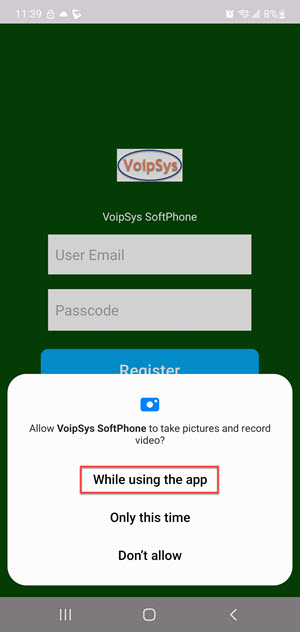
5. Opening. Grant ermissions.

Image: Opening. Grant permissions.

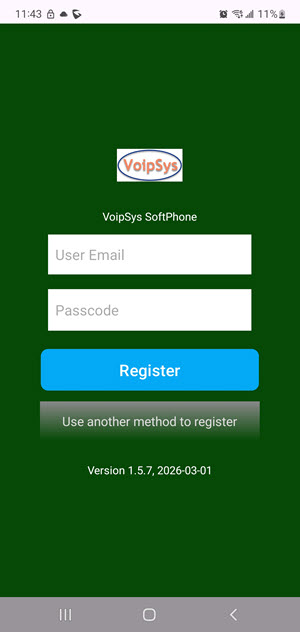
6. App Opened.

Image: App Opened

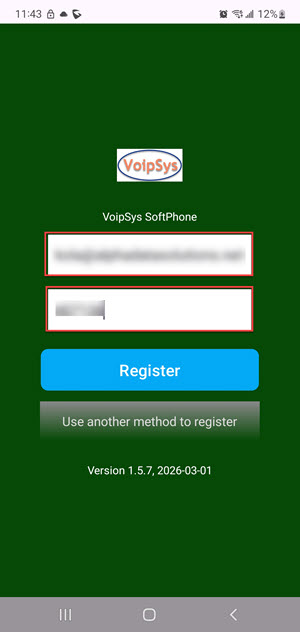
7. Enter Credentials. Register Acct.

Image: Enter Credentials. Register Acct.

8. Grant Additional Permission(s).

Image: Grant Additional Permission(s)

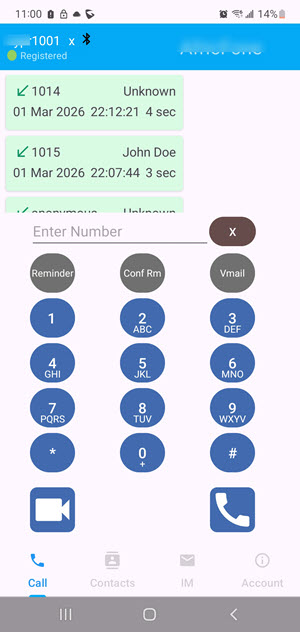
9. Account Registered.

Image: Account Registered

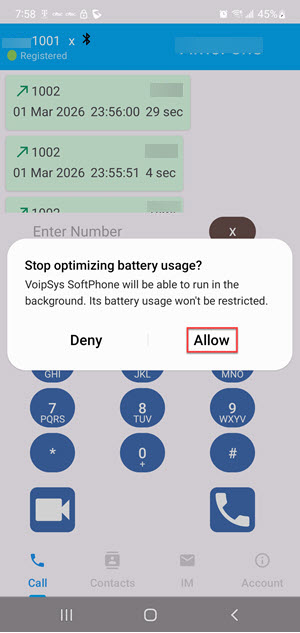
10. Dial. Grant Additional Permission(s).
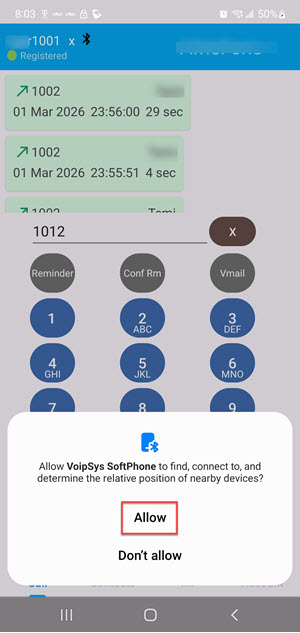
Image: Dial.  Grant Additional Permission(s)

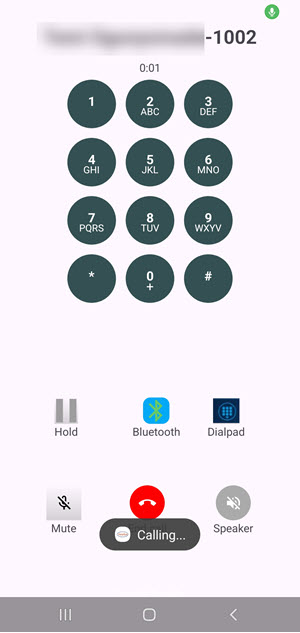
11. Audio Call in Progress

Image: Audio Call in Progress

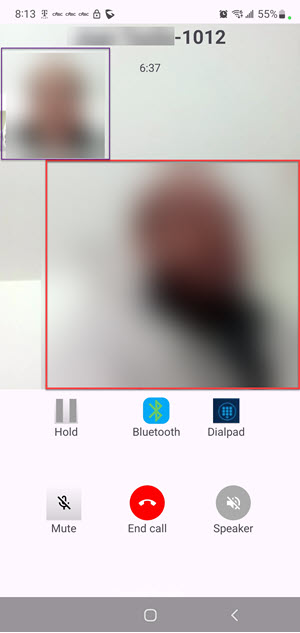
12. Alternate Video Call in Progress

Image: Alternate Video Call in Progress