Configure VoipSys Phone App by Entering Data
Instructions to configure VoipSys Soft Phone app. | |
1. Locate and start VoipSys Soft Phone app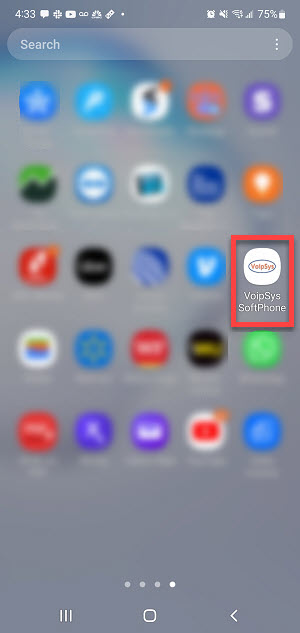
|
2. App running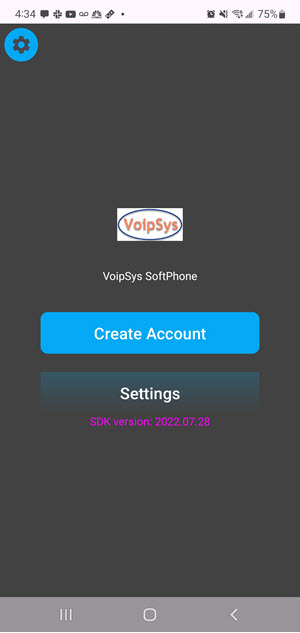
|
3. Click settings icon at top left corner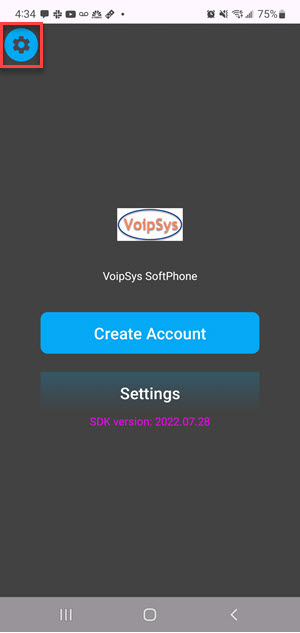
|
4. Enter missing date (red arrows)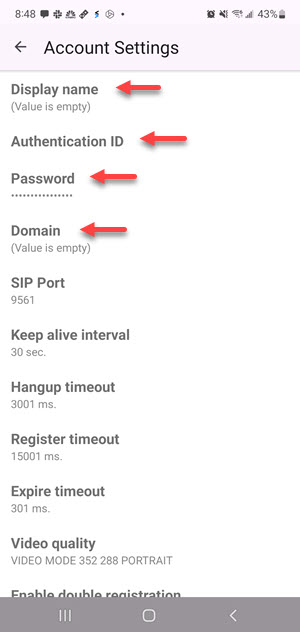
|
5. For example, enter and save display name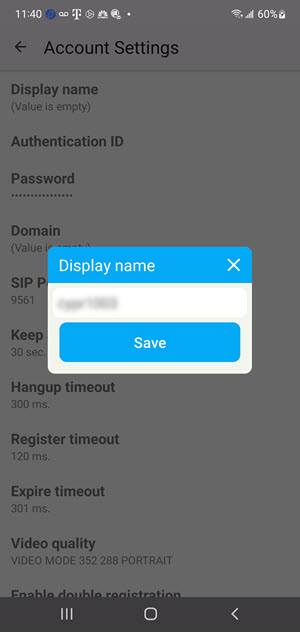
|
6. Do the same for three others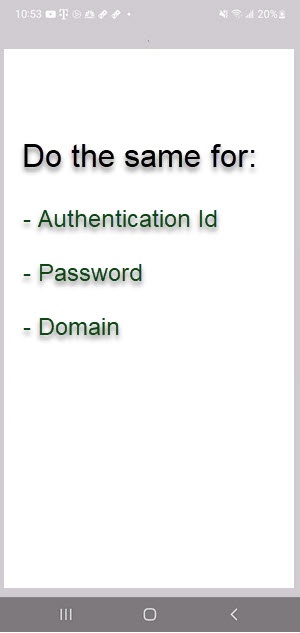
|
7. Scroll to end, click "Audio Codecs"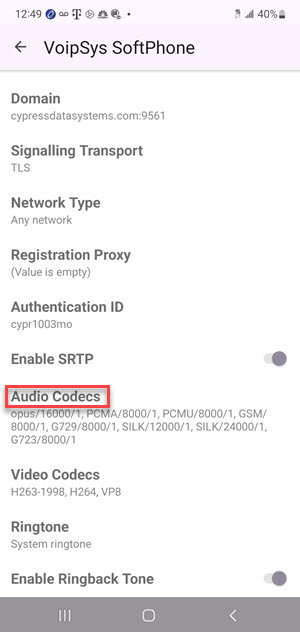
|
8. Select codecs in order shown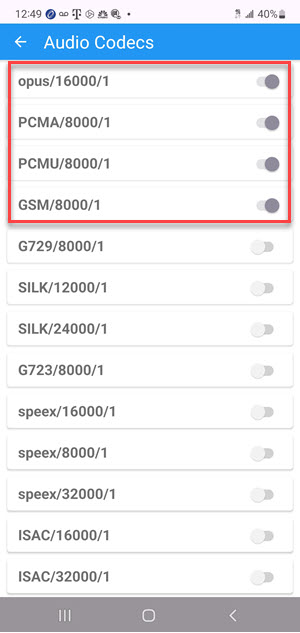
|
9. Click back arrow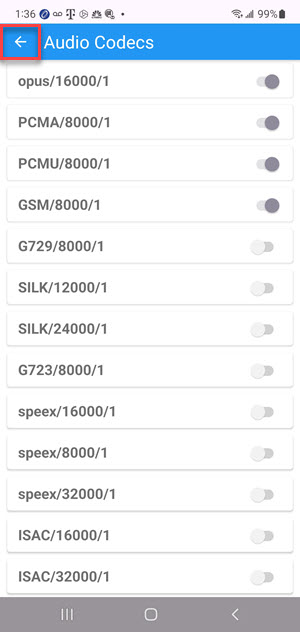
|
10. Click back arrow again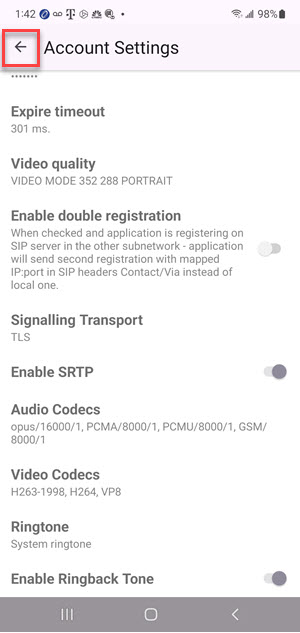
|
11. Click "Create Account"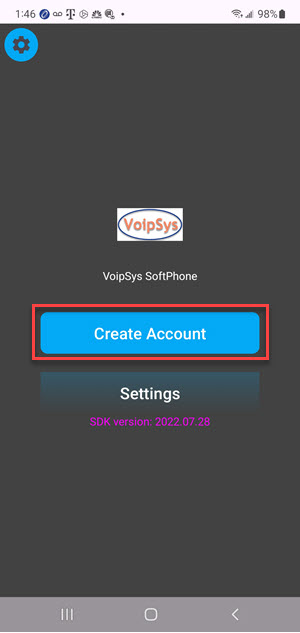
|
12. Click "Enter Account Data"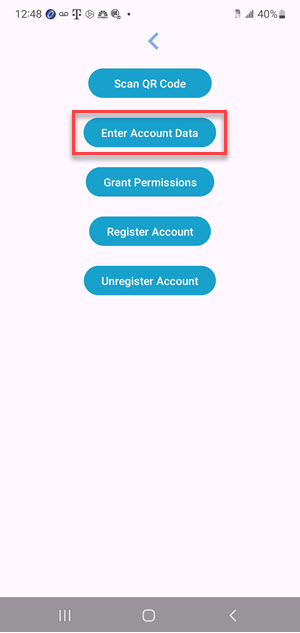
|
13. Enter any missing data e.g. username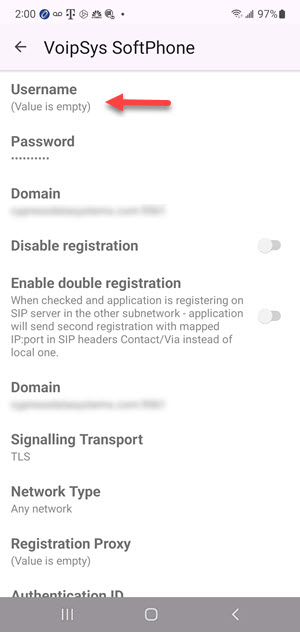
|
14. Scroll down, enter missing data . Click back arrow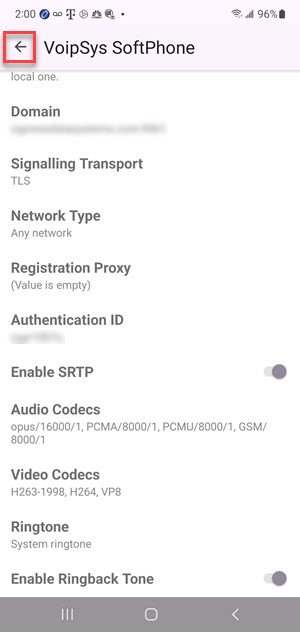
|
15. Click "Grant Permissions "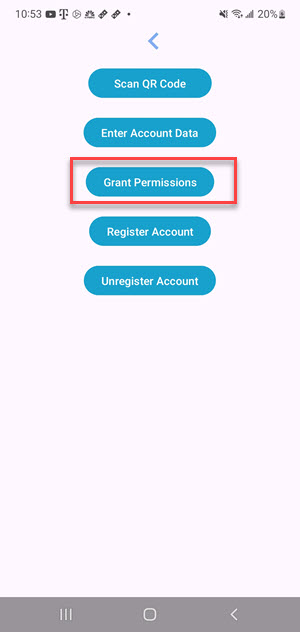
|
16. Accept permission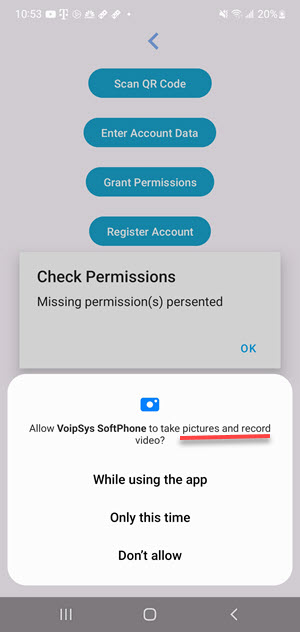
|
17. Accept remaining permissions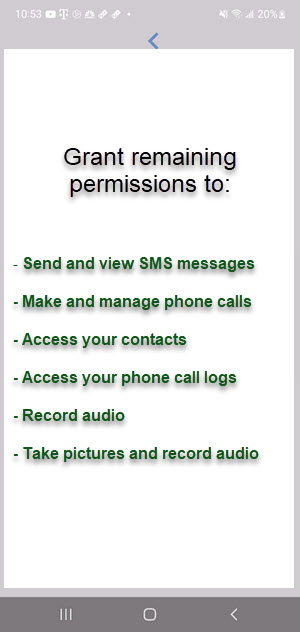
|
18. Click "OK" to continue"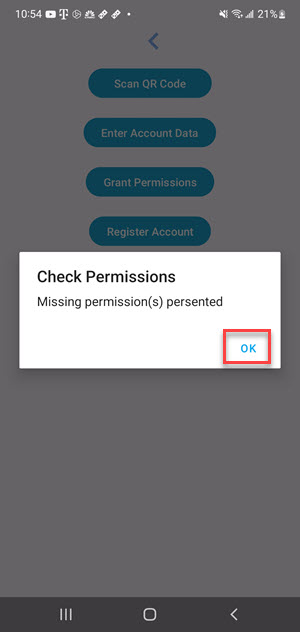
|
19. Click "Register Account"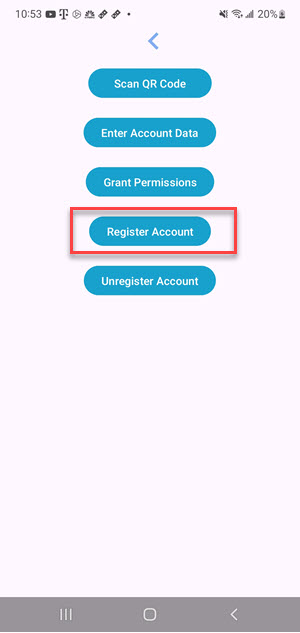
|
20. Click OK to continue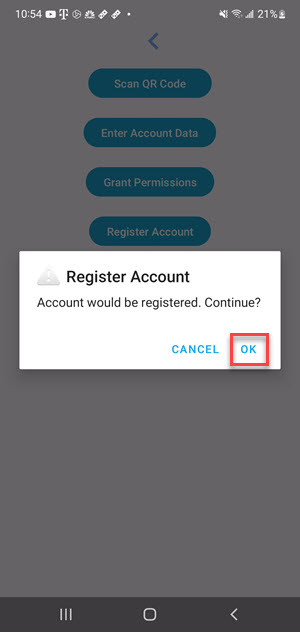
|
21. Wait a few seconds
|
22. Account Registered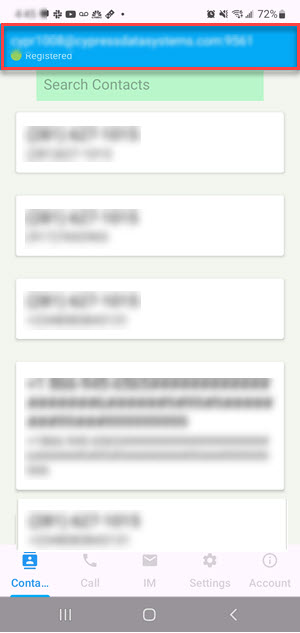
|